Build a form in minutes, see answers as charts.
Nine question types, a live preview while you build, one link to share, and results that summarize themselves.
No sign-up needed for the demo · your own private sample workspace
- Teams that collect requests
- Event hosts
- Small businesses
How it works
- 1Build or describe a form
- 2Share the link
- 3Answers are routed
- 4Approve and export
What it does
Drag-free builder
Add questions, reorder, copy and require them.
Nine question types
Text, email, number with limits, single and multiple choice, stars, date and yes/no.
Checked on the server
Every answer is validated against the form again, so nobody can send made-up options.
Share or embed
A secret public link per form, plus a copy-paste embed for any website.
Analytics
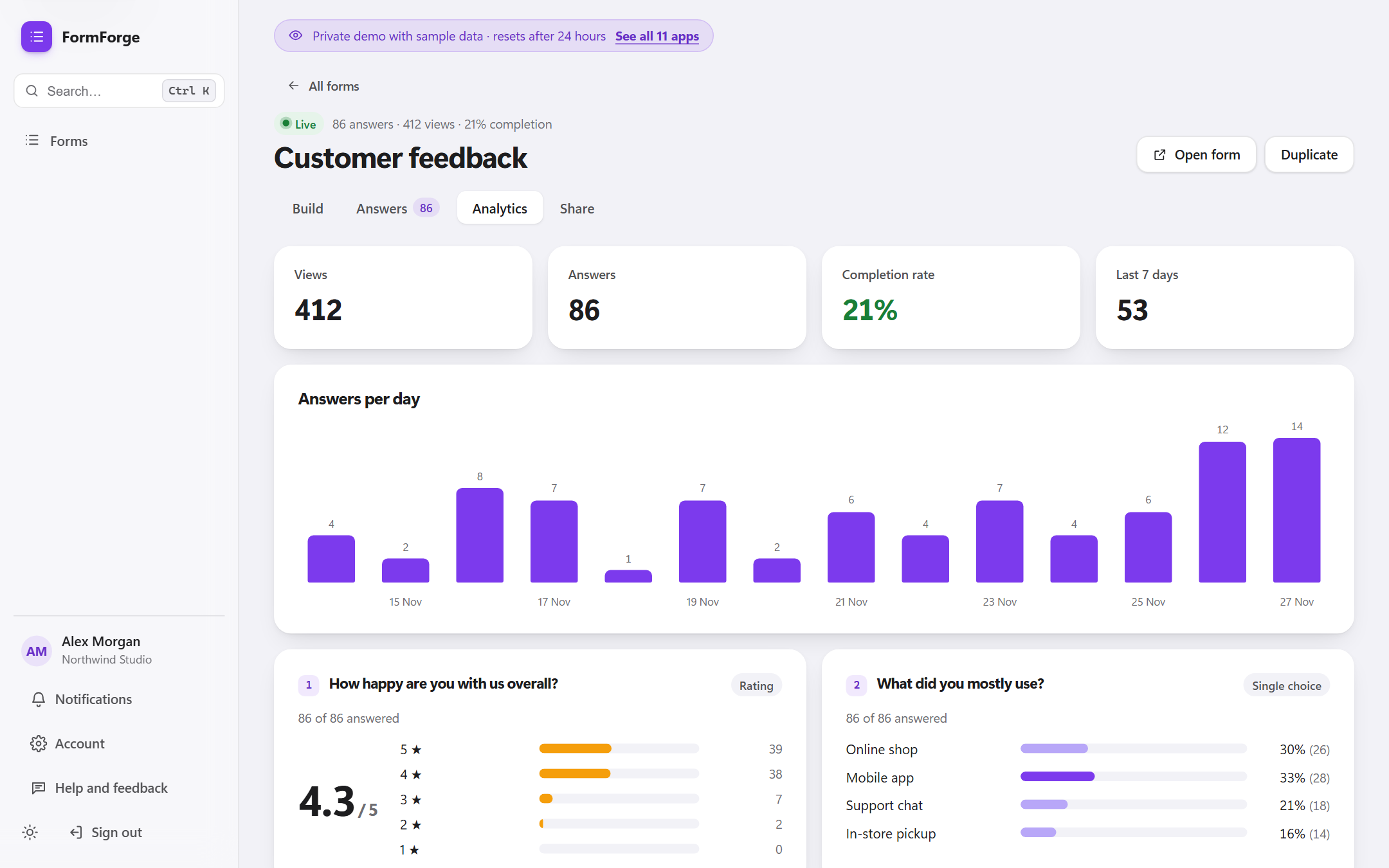
Views, completion rate, answers per day, and a chart for every question.
AI summaries
Turns hundreds of written answers into a few themes with counts and real quotes.
AI helps. You decide.
What the AI does
Drafts a whole form from one sentence.
What stays with you
You edit it and decide when to publish.
Works without an AI key too: a built-in method is used, and it says so.
Private by default
- Private forms: password or members only.
- Your own private workspace; roles for owners, admins, members and viewers.
- Activity history of important changes.
- Download all your data, or delete your account, from the Account page.
Questions
Why did a question not appear for someone?
It has a show-if rule and their earlier answer did not match. The server applies the same rules.
Where did old answers go?
Forms with a retention limit delete answers older than that limit automatically.
See FormForge with real sample data.
One click. Your own private demo. Nothing to install.